🔥 LAMTTO 2026 Wireless CarPlay Adapter | Turn Wired CarPlay into Wireless with Netflix, YouTube, TikTok & Gemini AI
🔥 LAMTTO 2026 Wireless CarPlay Adapter | Turn Wired CarPlay into Wireless with Netflix, YouTube, TikTok & Gemini AI


🔥 Extra Order Savings
Couldn't load pickup availability

🔥 LAMTTO 2026 Wireless CarPlay Adapter | Turn Wired CarPlay into Wireless with Netflix, YouTube, TikTok & Gemini AI

🚗 Upgrade Your Car Screen — Go Wireless & Do More
Turn compatible wired CarPlay or Android Auto into a wireless experience while adding Netflix, YouTube, TikTok, Gemini AI and more.

😩 Still Dealing With Wired CarPlay?
Every time you get in your car...
There’s a simpler way.

✨ Turn Your Car Screen Into More
The LAMTTO 2026 isn't just a wireless adapter. It gives your compatible car screen more ways to connect, entertain and interact.
Wireless CarPlay
Enjoy Apple CarPlay without constantly plugging your iPhone into your vehicle.
Wireless Android Auto
Connect compatible Android phones wirelessly after switching the adapter to Android Auto mode.
Built-In Entertainment
Access supported apps including Netflix, YouTube and TikTok when connected to the internet.
Gemini AI
Tap the microphone and talk to Gemini AI for stories, jokes, trivia, podcast ideas and reminders.

🎬 Your Car. Your Entertainment Center.
Waiting in the car doesn't have to be boring.
Netflix. YouTube. TikTok.
Your favorite entertainment, right where you need it.

🤖 Meet Gemini AI — Your Car's New Co-Pilot
Just tap the microphone and talk.
No typing.
No complicated menus.
Just press and talk.
Units shipped after July 23, 2026 come with Gemini AI built in.

📱 Say Goodbye To The Cable
Once your first setup is complete, your compatible phone can reconnect wirelessly.
Wireless Apple CarPlay
For compatible iPhone users.
Wireless Android Auto
For compatible Android users.
Quick Reconnect
Get in, start your car, and your device can reconnect automatically.

🔄 Mirror Your Phone Screen
The LAMTTO 2026 also supports screen mirroring for compatible phones and vehicles.
For screen mirroring, your phone and car screen need to be connected to the same network.

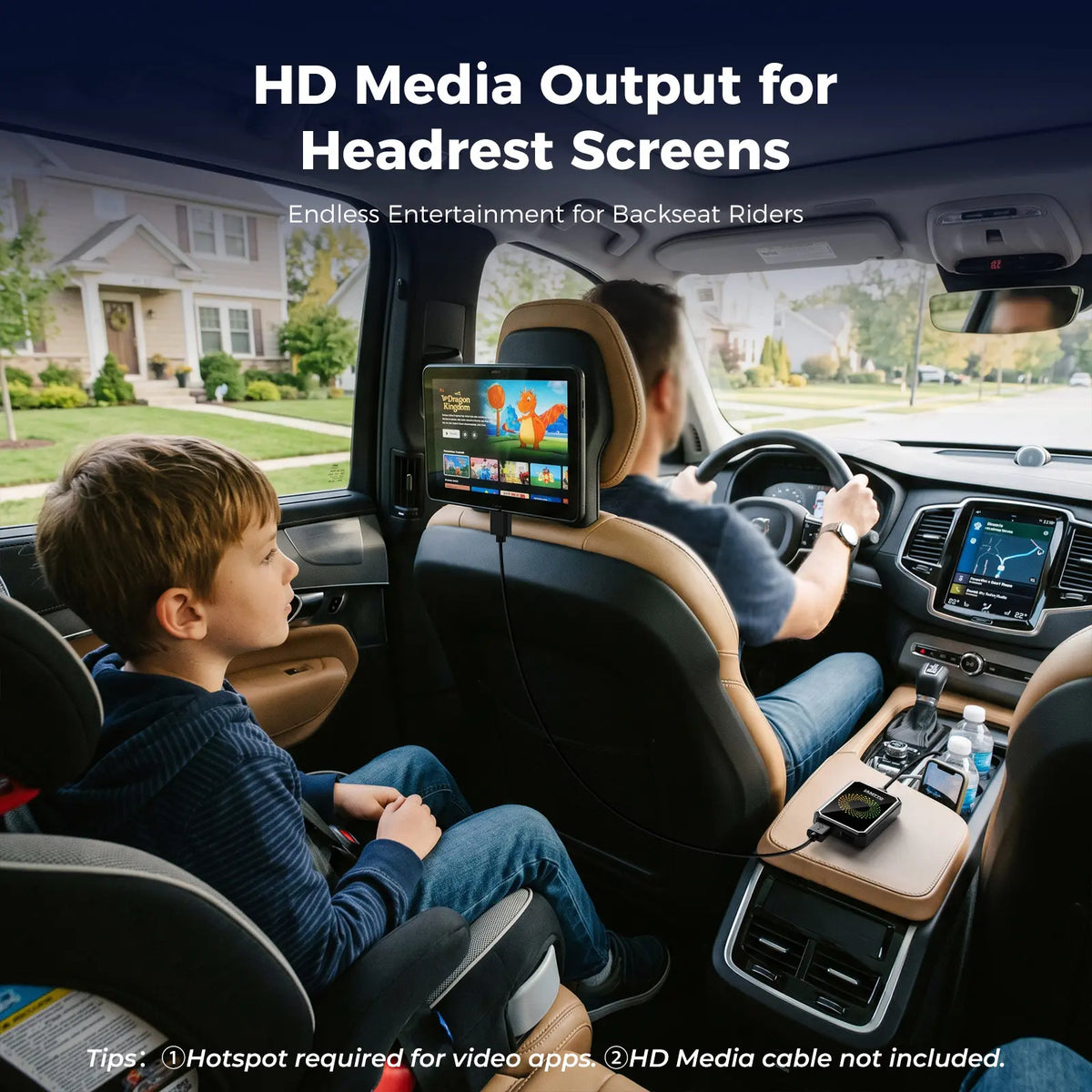
🖥️ HDMI Entertainment For Road Trips
Keep rear passengers entertained on long drives.
Connect the device to a compatible headrest monitor through HDMI and enjoy movies, cartoons and other supported media.
⚠️ RC23 requires additional power when using HDMI output.
⚠️ HDMI cable is not included.

⚡ Simple Plug & Play Setup
No complicated installation.
Plug In
Connect the adapter to your car's USB port.
Pair
Pair your phone via Bluetooth.
Drive
Enjoy wireless CarPlay or Android Auto.
🔵 For Wired Android Auto Vehicles
Android Auto vehicles require one additional mode switch.
① Find the included reset pin.
② Insert it into the reset hole.
③ Press and hold for 3–5 seconds.
④ Wait for the light to change from GREEN → BLUE.
⑤ Pair your phone via Bluetooth.
🌐 Internet Required For Streaming
Netflix, YouTube, TikTok and other online streaming features require an internet connection.
This device does NOT have a built-in SIM card or cellular service.
Turn On Hotspot
Turn on your phone's hotspot or connect to WiFi.
Connect
Connect the device to your hotspot or WiFi.
Log In
Log in with your own streaming accounts.
For the best streaming experience, a stable 4G/5G hotspot is recommended. Mobile data usage depends on your phone plan.
⚠️ Check Compatibility Before You Buy
This product is designed ONLY for vehicles with:
❌ NOT COMPATIBLE WITH:
❌ Tesla — all models
❌ BMW — all models
❌ 2024 Kia Sorento
❌ 2019 Mazda CX-5
❌ 2024 Chevrolet Trax
❌ 2026 Honda Accord
❌ Dodge Charger
❌ Vehicles with Wireless CarPlay / Android Auto
❌ Vehicles without a touchscreen
❌ Vehicles without Apple CarPlay / Android Auto
🔎 How To Check Your Car
CHECK #1
Open your car's infotainment system.
Look for:
Apple CarPlay
or
Android Auto
CHECK #2
Think about how your phone currently connects.
If you need to PLUG IN your phone to use CarPlay or Android Auto, your vehicle may be compatible.
If your phone already connects wirelessly, this product is NOT designed for your vehicle.
Send us your CAR MAKE + MODEL + YEAR before ordering and we'll help you check compatibility.
❓ Frequently Asked Questions
Why doesn't it work with my car?
This product is designed for vehicles with WIRED Apple CarPlay or WIRED Android Auto and a touchscreen. Tesla, BMW, wireless CarPlay/Android Auto vehicles and vehicles without a touchscreen are not compatible.
My car has Android Auto but it won't connect. What should I do?
Switch the adapter to Android Auto mode. Use the included pin to press the reset hole for 3–5 seconds until the light changes from GREEN to BLUE, then pair via Bluetooth.
Why can't I watch Netflix or YouTube?
Streaming requires an active hotspot or WiFi connection. Make sure the device is connected to the internet and you're logged into your own streaming account.
Does TikTok work?
Yes. TikTok is pre-installed. Internet access and your own TikTok account are required.
Will video streaming be laggy?
Streaming performance depends on your internet connection. A stable 4G/5G hotspot is recommended for smoother playback.
What phones are supported?
iPhone with iOS 10 or later and Android phones with Android 10 or later are supported for CarPlay/Android Auto connection.
Note: Samsung, Xiaomi and Huawei devices may not support Android Auto mode due to system restrictions.
What is Gemini AI?
Gemini AI is a built-in voice assistant included with units shipped after July 23, 2026. Tap the microphone and ask for stories, jokes, trivia, podcast ideas or reminders.
Can I download or update apps?
If app downloads or updates aren't working, sign in to your Google account first.
Go to:
Settings → Sign in to Google
Then:
Settings → More → System Reset Options → Reset
After restarting, open the app store and try again.
📦 What's Included?
✓ 1 × Wireless CarPlay Adapter
✓ 1 × USB-C Cable
✓ 1 × Type-C to Type-C Cable
✓ 1 × Reset Pin Tool
✓ 1 × User Manual
🚗 One Small Device. A Whole New Car Experience.
Cut the cable. Upgrade your compatible car screen. And make every drive a little more connected.
🤖 Wireless Android Auto
🎬 Netflix • YouTube • TikTok
🎙️ Gemini AI
🔄 Screen Mirroring
🖥️ HDMI Entertainment
⚡ Easy Plug & Play
Compatible with WIRED Apple CarPlay / WIRED Android Auto vehicles with touchscreen.
💬 Not sure? Send us your car make, model and year before ordering.